

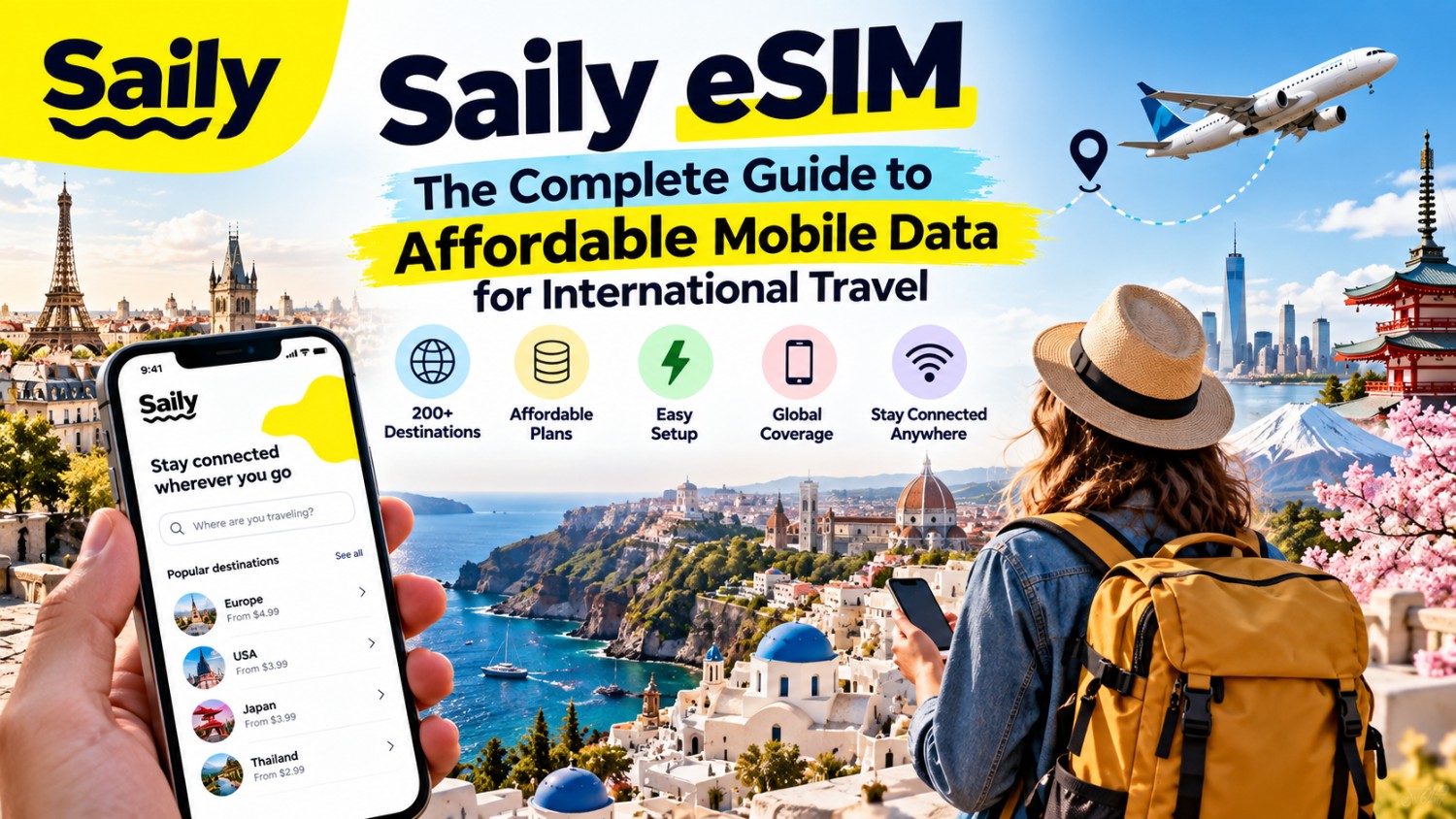
Staying connected while travelling abroad is essential. From checking maps and booking accommodation to messaging family and sharing photos, reliable mobile data can make international travel much easier.
However, using your regular mobile network abroad can sometimes result in unexpected roaming charges. This is where a travel eSIM can provide an alternative.
Saily eSIM is a prepaid travel eSIM service from Nord Security that provides mobile data plans across more than 200 destinations. Travellers can purchase a plan for their destination, install the eSIM before travelling and connect to mobile networks when they arrive.
In this guide, we’ll explain what Saily eSIM is, how it works, how to install it, what plans are available and what to consider before using it on your next international trip.
What Is Saily eSIM?
Saily is a digital eSIM service designed specifically for travellers.
An eSIM, or embedded SIM, is a digital SIM profile built into compatible smartphones and other devices. Unlike a traditional SIM card, it doesn’t require a physical card to be inserted into your phone.
Saily allows travellers to purchase prepaid mobile data plans for individual destinations, regions or wider international travel.
According to Saily, its service provides plans in 200+ destinations, with options ranging from smaller data packages to unlimited plans.
What Can You Use Saily For?
A travel eSIM can be useful for everyday activities such as:
- Google Maps and navigation
- WhatsApp and other messaging apps
- Checking travel information
- Booking taxis and transport
- Online banking
- Social media
- Video calls
- Restaurant and hotel searches
- Travel apps
- Streaming and entertainment
Saily’s standard plans are data-focused, so apps such as WhatsApp, Messenger and Signal can be used for internet-based communication.
How Does Saily eSIM Work?
Using Saily is relatively straightforward.
The general process is:
- Choose your destination.
- Select a suitable Saily data plan.
- Purchase the plan.
- Install the Saily eSIM using the app.
- Enable the Saily eSIM and data roaming.
- Connect when you arrive at your destination.
Saily says plans can automatically activate when you reach your destination, or 180 days after purchase if they have not already been activated.
This means you can prepare your eSIM before leaving home rather than trying to arrange mobile connectivity after landing.
Why Use a Saily eSIM When Travelling?
There are several reasons travellers may consider an eSIM instead of relying exclusively on their home network.
Avoid Unexpected Roaming Costs
International roaming can sometimes become expensive depending on your mobile provider and destination.
With a prepaid eSIM, you can purchase a data package before your trip and know what plan you’ve selected in advance.
Saily specifically positions its service as an alternative to costly international roaming.
No Physical SIM Card Required
A traditional travel SIM needs to be physically inserted into your phone.
With an eSIM, the plan is installed digitally, so you don’t need to remove your existing SIM card.
This can be especially convenient if you want to keep your regular number available for calls or SMS while using the Saily eSIM for mobile data.
Set It Up Before Your Trip
One of the biggest conveniences of a travel eSIM is that you can install it before departure.
Saily recommends completing the installation before travelling and using a stable internet connection during the setup process.
One eSIM for Multiple Trips
Saily says travellers can add new destinations to an existing Saily eSIM rather than installing a completely new eSIM for every trip.
This can make the service useful for frequent travellers.
Saily eSIM Plans
Saily offers different types of data plans depending on where you’re travelling.
These can include:
- Country-specific plans
- Regional plans
- Global plans
- Plans with different data allowances
- Unlimited-data options in supported destinations
Saily’s website currently lists plans ranging from 1 GB to unlimited data, depending on the destination and plan type.
Country Plans
A country-specific plan is designed for travellers visiting one particular destination.
For example, if you’re spending your entire holiday in Japan, you can select a Japan-specific Saily plan.
Regional Plans
Regional plans can be useful when your itinerary covers multiple countries.
Instead of buying a separate plan for every destination, a regional plan can cover several countries included in the relevant region. Saily notes that coverage varies by regional bundle, so travellers should check the included-country list before purchasing.
Global Plans
For travellers visiting multiple regions, Saily also offers Global eSIM plans.
Its current Global offering includes data options from 1 GB to 20 GB, with plans starting from US$8.99 on the page currently published by Saily. Prices and available options can change, so check the destination and current plan before purchasing.
How to Install Saily eSIM
Before installing Saily, make sure your smartphone supports eSIM technology and is carrier-unlocked.
You’ll also need an internet connection for the initial installation.
Installing Saily on an iPhone
The Saily app provides guided installation.
The general process is:
- Download the Saily app.
- Select your travel destination and purchase a plan.
- Open the app and choose Install eSIM.
- Follow the on-screen installation instructions.
- Turn on the Saily eSIM line.
- Select Saily for mobile data.
- Enable data roaming for the Saily eSIM.
- Complete the setup before travelling.
Saily’s official iOS instructions provide additional steps for manually installing the eSIM if automatic installation isn’t successful.
Installing Saily on Android
Android setup can vary slightly depending on the manufacturer.
The Saily app provides guided installation, while compatible Android phones can also be configured manually through the device’s SIM settings.
A typical process includes:
- Open the Saily app.
- Select Install eSIM.
- Choose your device.
- Start the eSIM installation.
- Allow the eSIM to download.
- Select Saily as the mobile-data SIM.
- Enable the Saily eSIM.
- Turn on data roaming.
- Complete the activation process.
Saily provides separate installation instructions for Android devices, including manual setup if automatic installation doesn’t work.
When Should You Install Your Saily eSIM?
It’s generally sensible to install your eSIM before leaving for your trip while you have reliable Wi-Fi.
However, installing an eSIM and activating its travel plan are not necessarily the same thing.
Saily states that plans can automatically activate when you arrive at the destination, or 180 days after purchase.
This allows you to prepare your phone ahead of time without necessarily starting your travel plan immediately.
How to Use Saily When You Arrive
Once you reach your destination, you need to make sure your phone is using the Saily eSIM for mobile data.
Saily recommends:
- Turn on the Saily eSIM.
- Select Saily as the mobile-data line.
- Enable data roaming for the Saily eSIM.
- Disable mobile-data switching if your device supports that feature.
- Consider disabling your primary SIM’s mobile data to avoid accidental roaming charges.
These settings are particularly important for travellers who want to make sure their phone uses the intended data connection.
Does Saily eSIM Include Calls and SMS?
Standard Saily eSIM plans are primarily designed for mobile data.
This means you can use internet-based communication services such as:
- Signal
- Messenger
- FaceTime
- Skype
- Other VoIP services
Saily also currently offers an optional phone-number add-on that provides a US-based phone number for calls and SMS. The add-on is separate from the standard data plan.
The availability and terms of this feature can vary, so check the current Saily offering before purchasing if traditional calls or SMS are important to you.
Does Saily Work With 5G?
Saily plans can provide 3G, 4G, LTE or 5G connectivity depending on the destination and local network providers.
Actual speeds and network availability depend on the local networks available where you’re travelling.
For this reason, travellers shouldn’t assume that every destination will provide 5G everywhere.
Can You Use Saily as a Hotspot?
Hotspot availability can depend on the specific plan and destination.
Saily currently states that some regional plans support unlimited hotspot sharing, while exact features can vary between offerings.
If you plan to connect a laptop, tablet or another phone through your travel eSIM, check the hotspot conditions for your particular plan before purchasing.
Saily eSIM for Multi-Country Trips
A travel eSIM becomes particularly useful when your itinerary includes multiple countries.
For example, imagine a two-week European trip covering:
France → Switzerland → Italy → Austria
Instead of purchasing and installing a separate SIM card at every border, you can look for a Saily regional or Global plan that includes your destinations.
Regional plans combine multiple countries under one data package, although the exact countries covered depend on the selected region.
Always check the destination list before booking.
How Much Mobile Data Do You Need?
Choosing the right amount of data depends on how you use your phone.
Light Data User
If you mainly use:
- WhatsApp messages
- Google Maps occasionally
- Web browsing
A smaller data package may be sufficient.
Moderate Data User
If you regularly use:
- Navigation
- Social media
- Music streaming
- Video calls
- Travel apps
Consider a larger data allowance.
Heavy Data User
If you plan to:
- Stream video
- Upload lots of photos
- Use your phone as a hotspot
- Work remotely
- Make frequent video calls
A larger or unlimited plan may be more suitable, where available.
Tip: Use Wi-Fi When Practical
Hotels, cafés and airports often provide Wi-Fi. Using Wi-Fi for large downloads, operating-system updates and video streaming can help conserve your mobile data.
Is Saily Compatible With Your Phone?
Your device needs to support eSIM technology.
Most modern smartphones offer eSIM functionality, but compatibility varies by model, region and carrier.
Before buying, check your exact phone model on Saily’s compatibility information and make sure the device is unlocked. Saily specifically lists eSIM compatibility and carrier unlocking as prerequisites for activation.
Saily eSIM Security Features
Saily also promotes built-in security features alongside its travel connectivity service.
Depending on the offering, these can include features designed to block malicious websites, limit trackers and reduce unwanted advertising.
For travellers using public Wi-Fi networks, basic security practices remain important regardless of whether you use an eSIM.
Avoid entering sensitive information on suspicious websites and keep your phone’s operating system and apps updated.
Tips for Getting the Most From Saily eSIM
1. Check Compatibility Before Buying
Don’t wait until you’re at the airport to discover your phone doesn’t support eSIM.
2. Install Before Departure
Set up the eSIM while connected to reliable Wi-Fi.
3. Check Your Data Settings
Make sure Saily is selected for mobile data when you arrive.
4. Disable Unwanted Roaming
If you’re concerned about charges from your primary SIM, disable mobile data or roaming for that line.
5. Choose the Right Data Allowance
Think about how much data you’ll actually use during your trip.
6. Check Regional Coverage
For multi-country trips, verify that every destination is included in the regional or Global plan you choose.
7. Keep Your Primary SIM
You don’t necessarily need to remove your regular physical SIM. Compatible phones can allow you to keep your primary SIM while using Saily for data.
Frequently Asked Questions About Saily eSIM
What is Saily eSIM?
Saily is a prepaid travel eSIM service from Nord Security that provides mobile data plans across more than 200 destinations.
Is Saily an eSIM or a physical SIM?
Saily is an eSIM service. The eSIM is installed digitally on a compatible device rather than inserted as a physical SIM card.
Does Saily work internationally?
Yes. Saily offers country-specific, regional and Global data plans covering destinations around the world. Its service currently advertises coverage in more than 200 destinations.
Can I install Saily before travelling?
Yes. Saily recommends installing and setting up the eSIM before your trip. The plan can activate when you reach your destination, subject to the plan’s activation conditions.
Does Saily replace my normal SIM?
Not necessarily. You can generally keep your existing SIM and use Saily as the mobile-data line on a compatible dual-SIM device.
Can I use WhatsApp with Saily?
Yes. Because WhatsApp uses mobile data, you can use it over a Saily data connection, subject to having an active data plan.
Does Saily provide a phone number?
Saily currently offers an optional US-based phone-number add-on for calls and SMS. Standard data plans remain data-focused.
Does Saily offer unlimited data?
Saily currently offers unlimited-data options for supported destinations and plans. Availability, pricing and conditions vary by destination.
Final Thoughts
A reliable internet connection can make international travel considerably easier, especially when you depend on maps, messaging, online bookings and travel apps.
Saily eSIM provides a convenient way to purchase prepaid mobile data for international trips without relying entirely on traditional roaming or searching for a physical SIM after arriving.
With plans covering 200+ destinations, country-specific and regional options, Global plans and a straightforward app-based setup, Saily can be considered by travellers who want to arrange their mobile data before leaving home.
Before purchasing, check your phone’s eSIM compatibility, review the countries covered by your chosen plan, compare the available data allowances and confirm the current price.
That small amount of preparation can help you arrive at your destination ready to connect.